Building the studio companion app I always wished existed
Pottery Nook is a mobile app for ceramic artists who need more than a notes app and more than a generic task tracker. I built it to hold the full rhythm of studio work: pieces, kiln sessions, glaze tests, reminders, and the quiet momentum that keeps a practice moving.
The problem
Pottery work is scattered across memory, photos, and scraps of paper
What I wanted to solve was fragmentation. In a real studio, the important details are usually scattered across photos, firing notes, glaze experiments, reminders, and memory. I designed Pottery Nook to make that process feel calm and structured instead of messy.
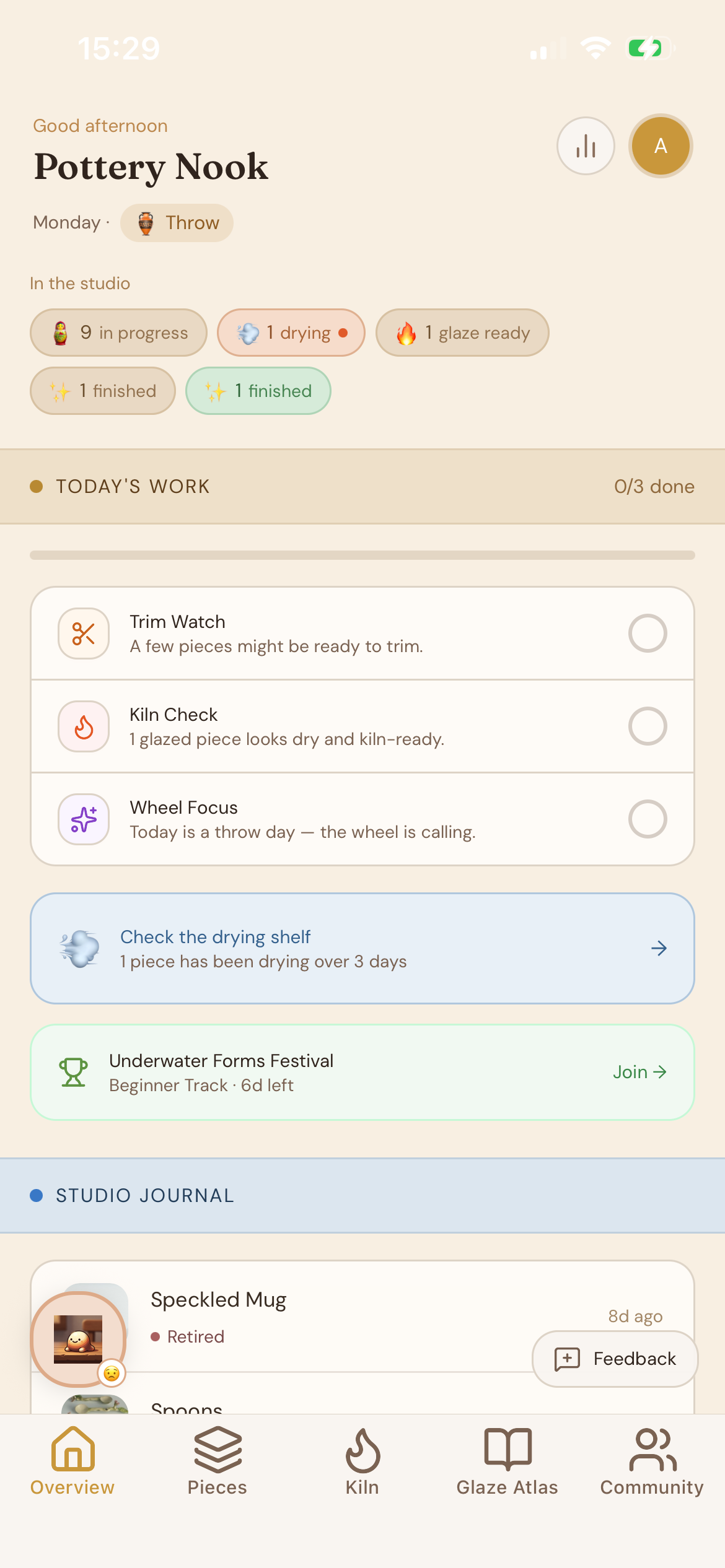
The app is organized around the parts of studio life that matter most: Overview for daily nudges, Pieces for the full making journey, Kiln for firing operations, Library for reference material, and Community for sharing and discovery.
Product tour
Screenshots from the parts of the app that do the real work
Core workflow
The strongest part is the piece lifecycle
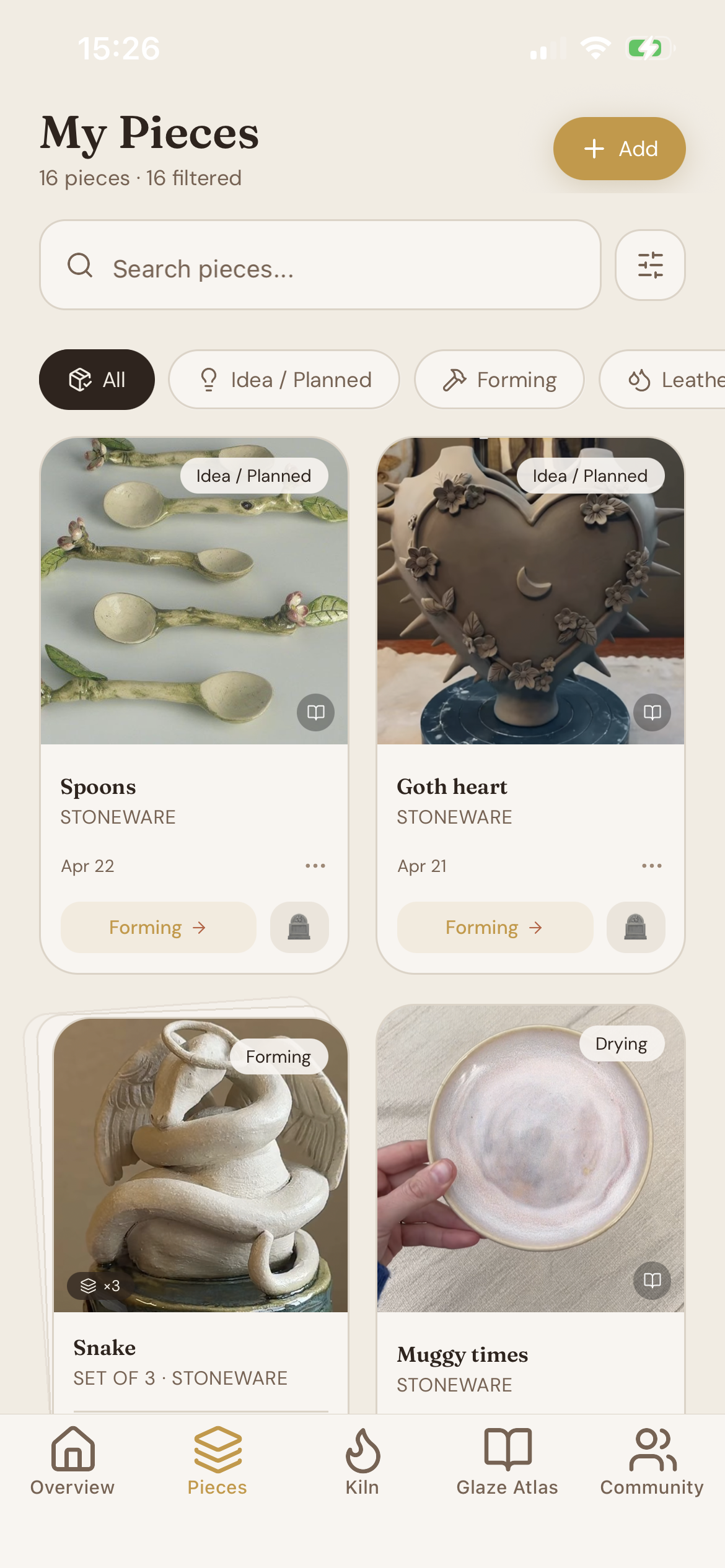
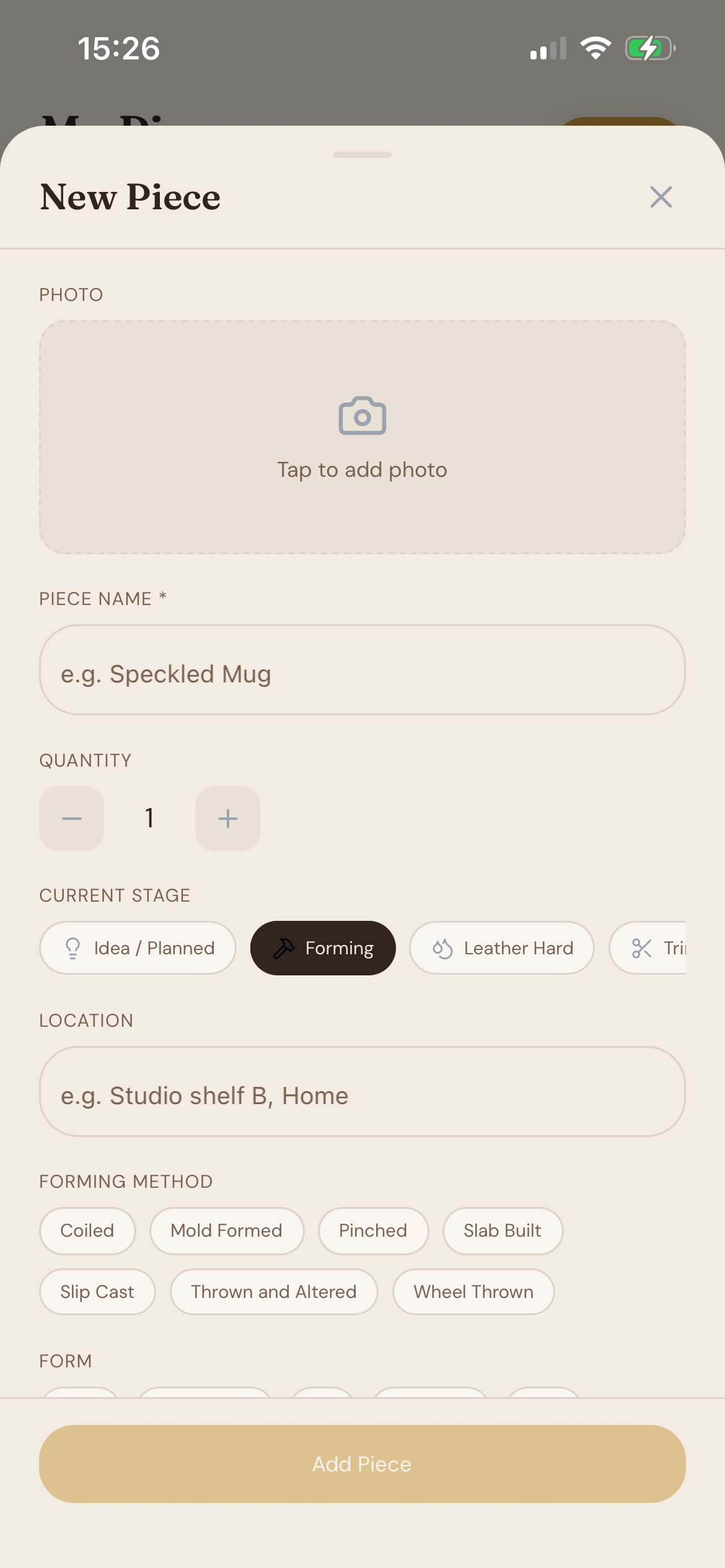
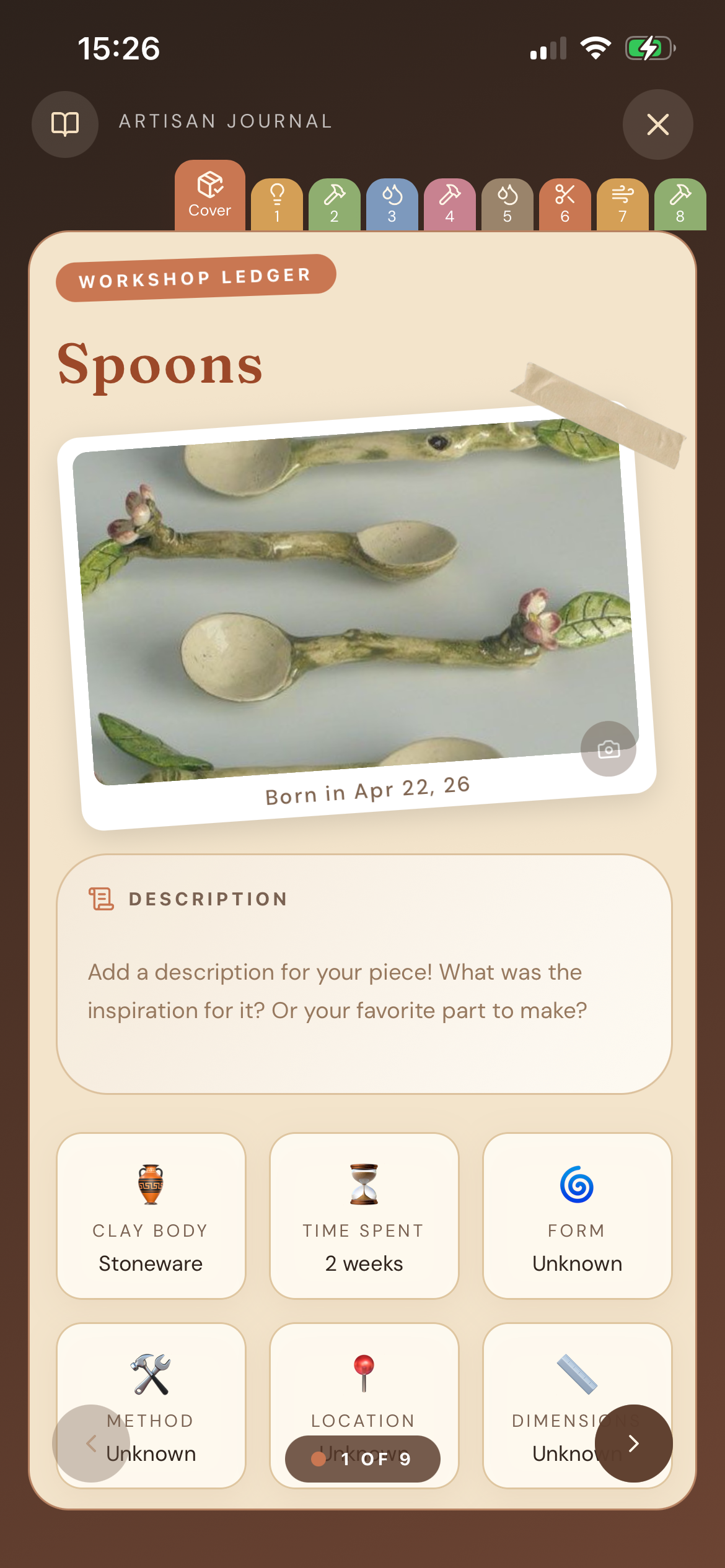
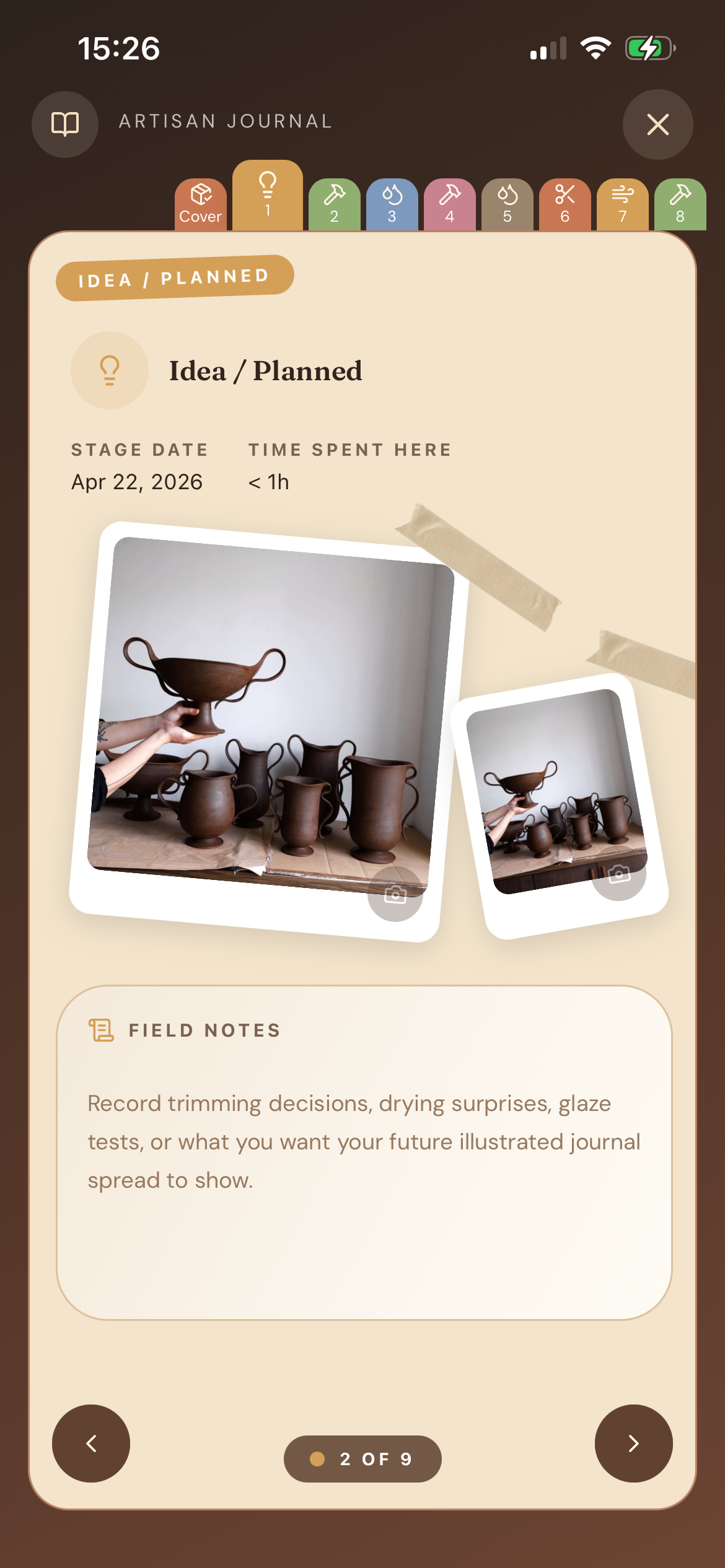
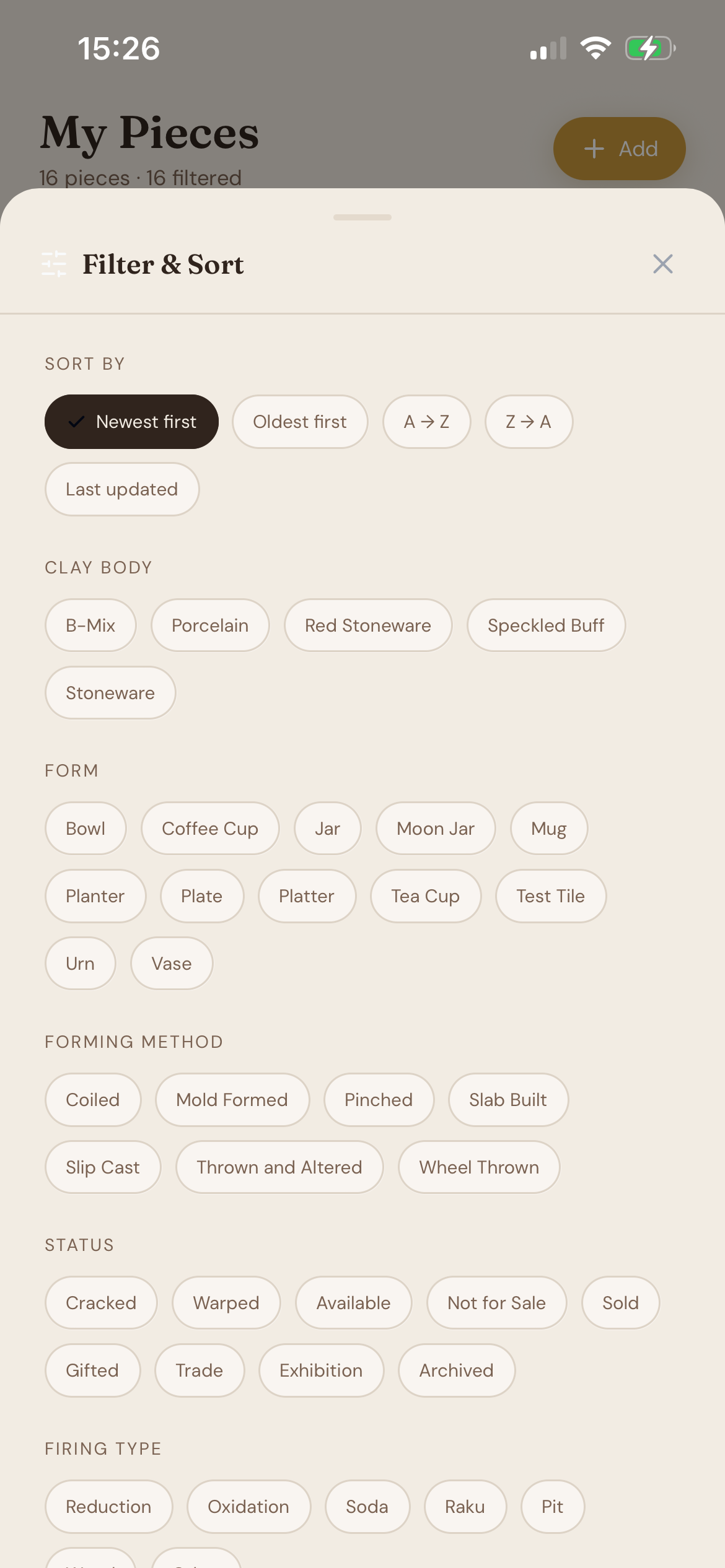
I built a journal-style experience where each piece can move through a multi-stage lifecycle, collect timeline entries, and store stage-specific details like notes, dimensions, images, and firing progress. I also added batch-aware interactions, because pottery work is rarely one piece at a time.
That let me support actions like advancing a single piece or an entire batch without making the interface feel heavy. The pieces screens are meant to feel like studio memory, not a database form.
Kiln operations
The kiln area behaves like a practical firing dashboard
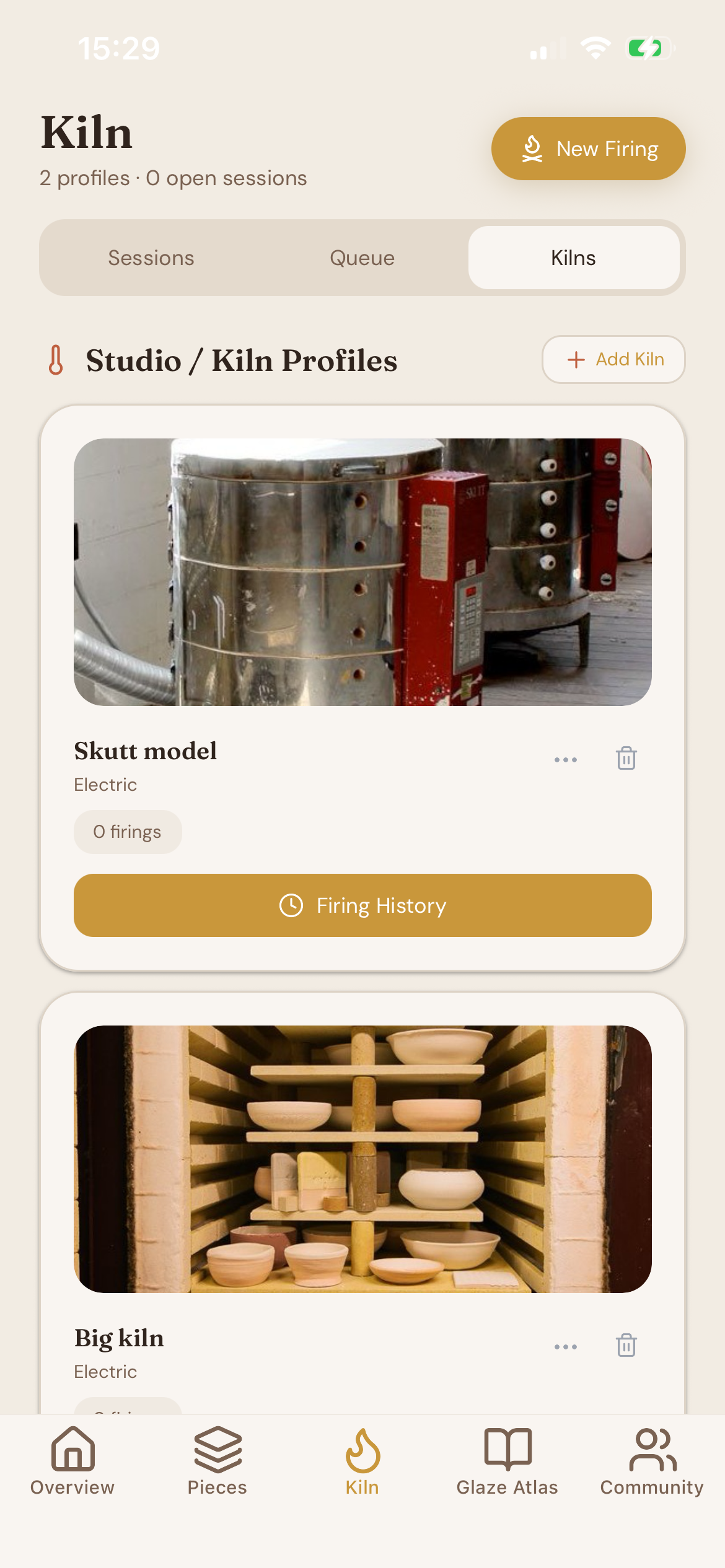
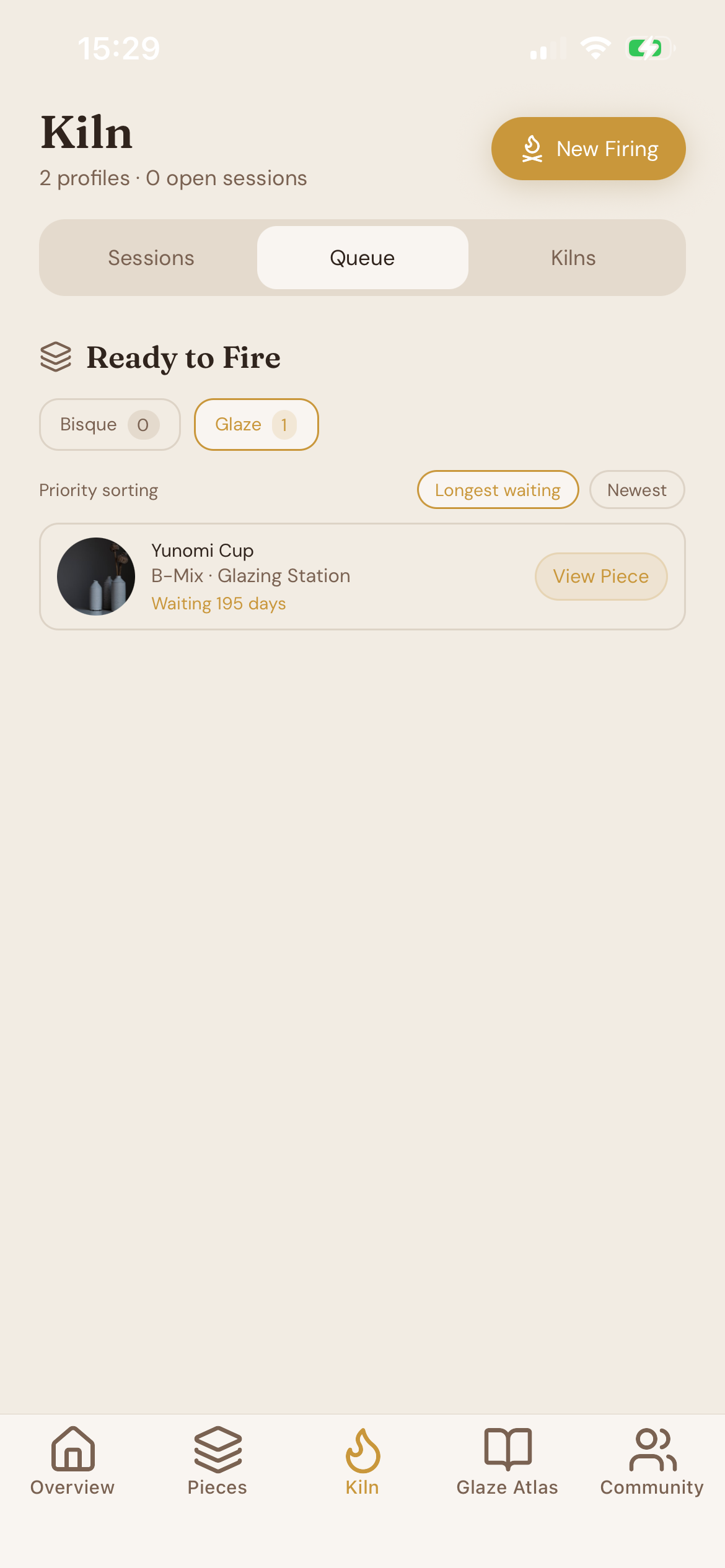
I treated the kiln area as an operations dashboard rather than a generic list. It shows firing sessions, queued pieces waiting for bisque or glaze firing, kiln profiles, and expected ready dates.
That decision mattered because firing is one of the highest-stakes parts of the process. I wanted the screen to feel practical, with enough structure to support real studio decisions, but still simple enough to use quickly.
Glaze work
The glaze atlas gives the app a more analytical side
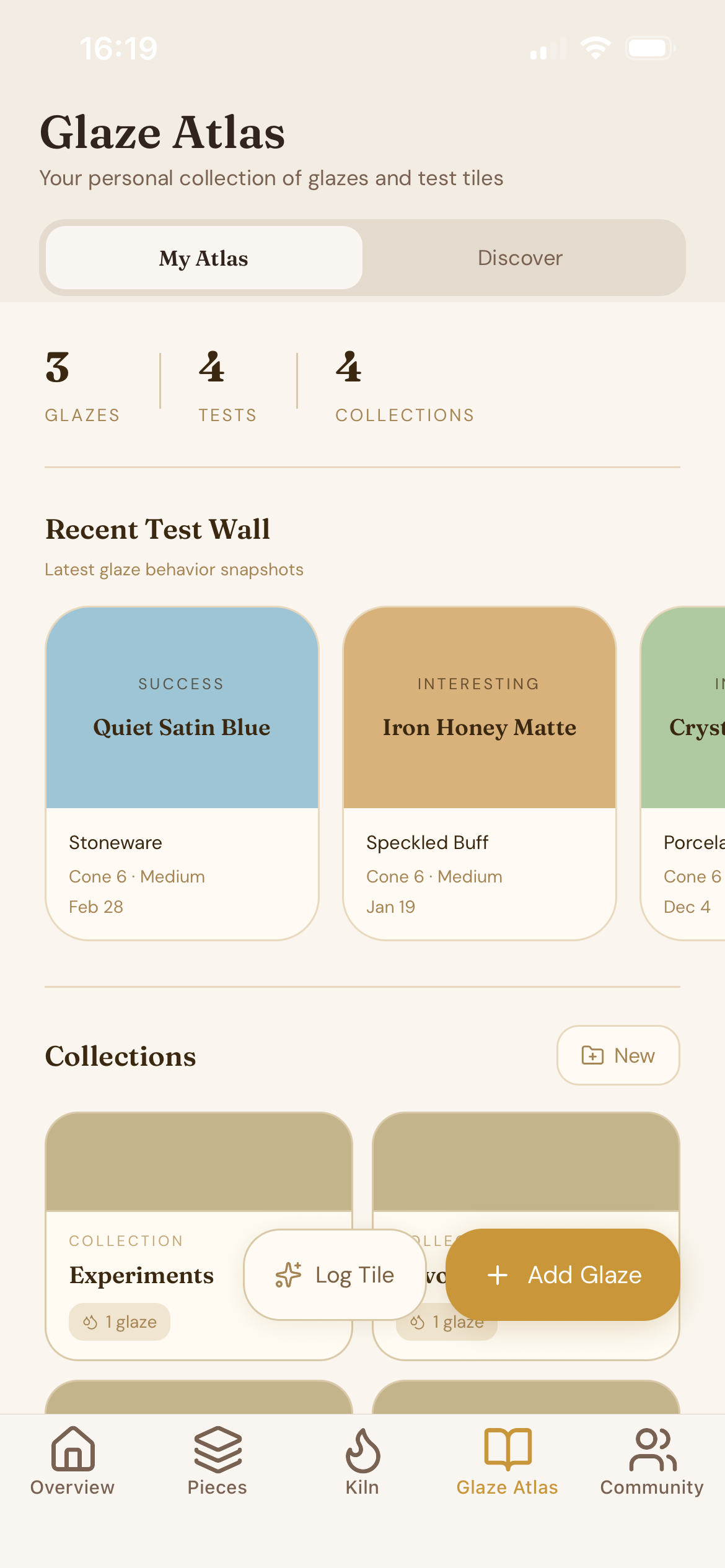
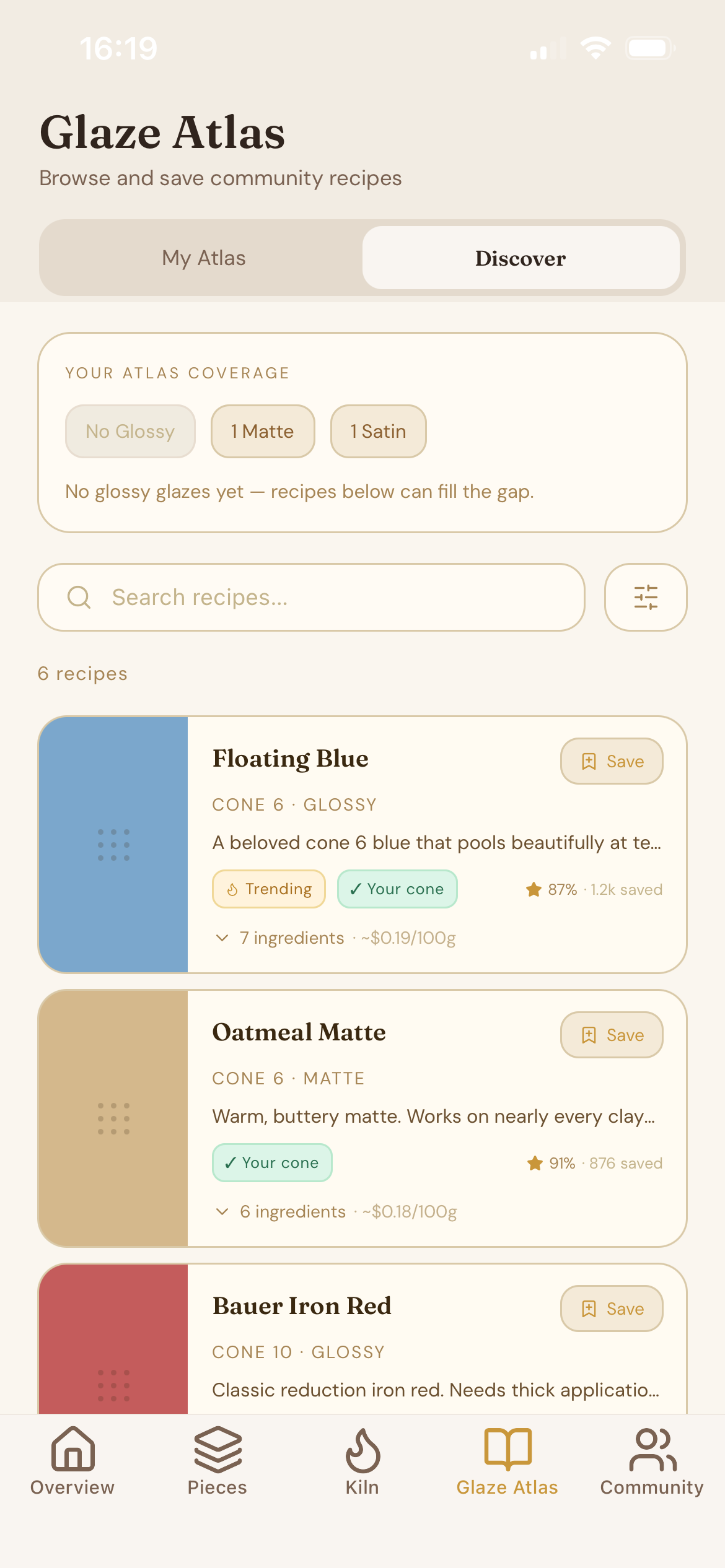
For glaze work, I built a personal glaze atlas with test tiles and studio signals. That gave the app a more analytical side without losing the craft-focused tone. Instead of forcing users into a giant spreadsheet, I let them capture test history in context.
The result is a place where favorite clay bodies, application methods, and recurring defects can be surfaced alongside the actual studio records that produced them.
Voice and feel
The app feels personal instead of generic
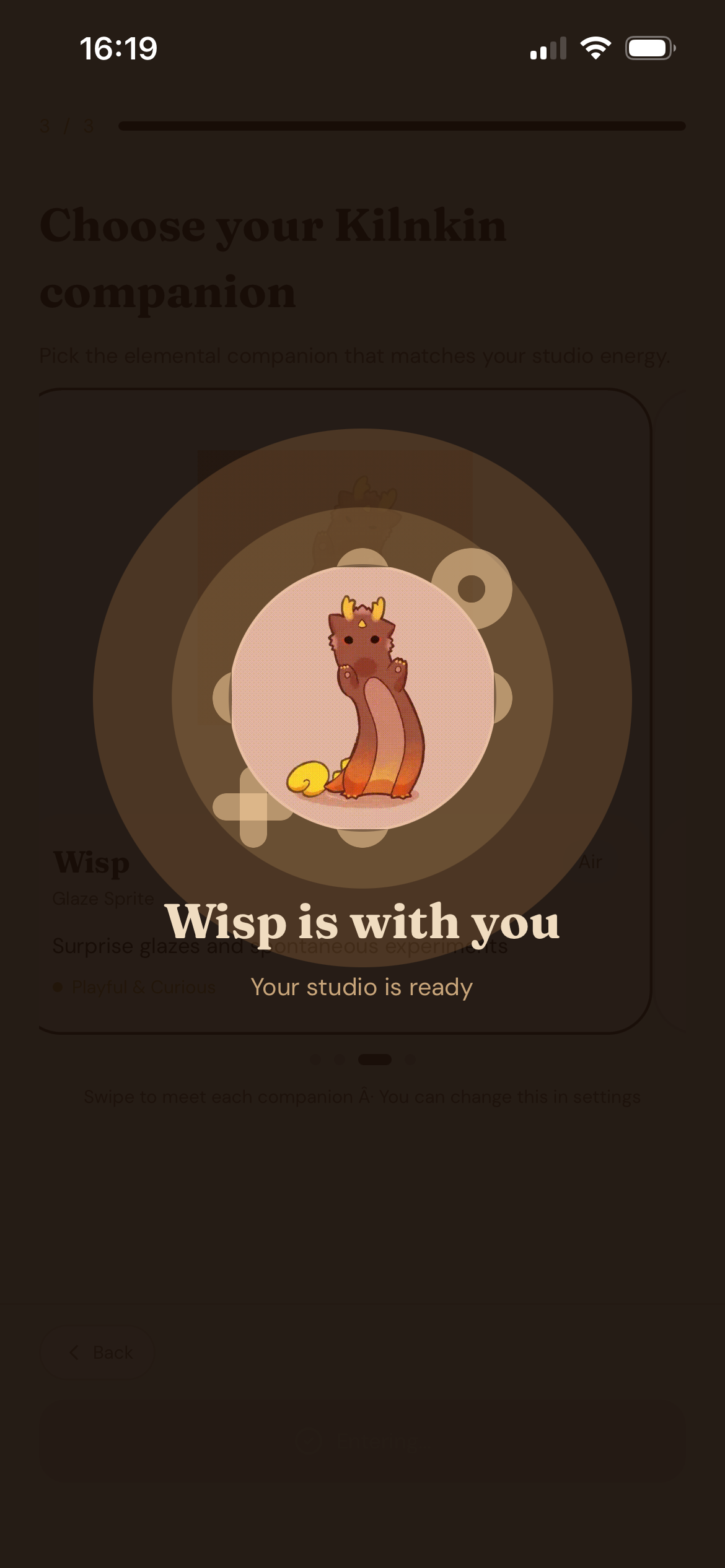
I also made the app feel personal. Onboarding adapts to different user types, the companion system gives the product a distinct voice, and the premium experience is built into the app shell instead of being bolted on later.
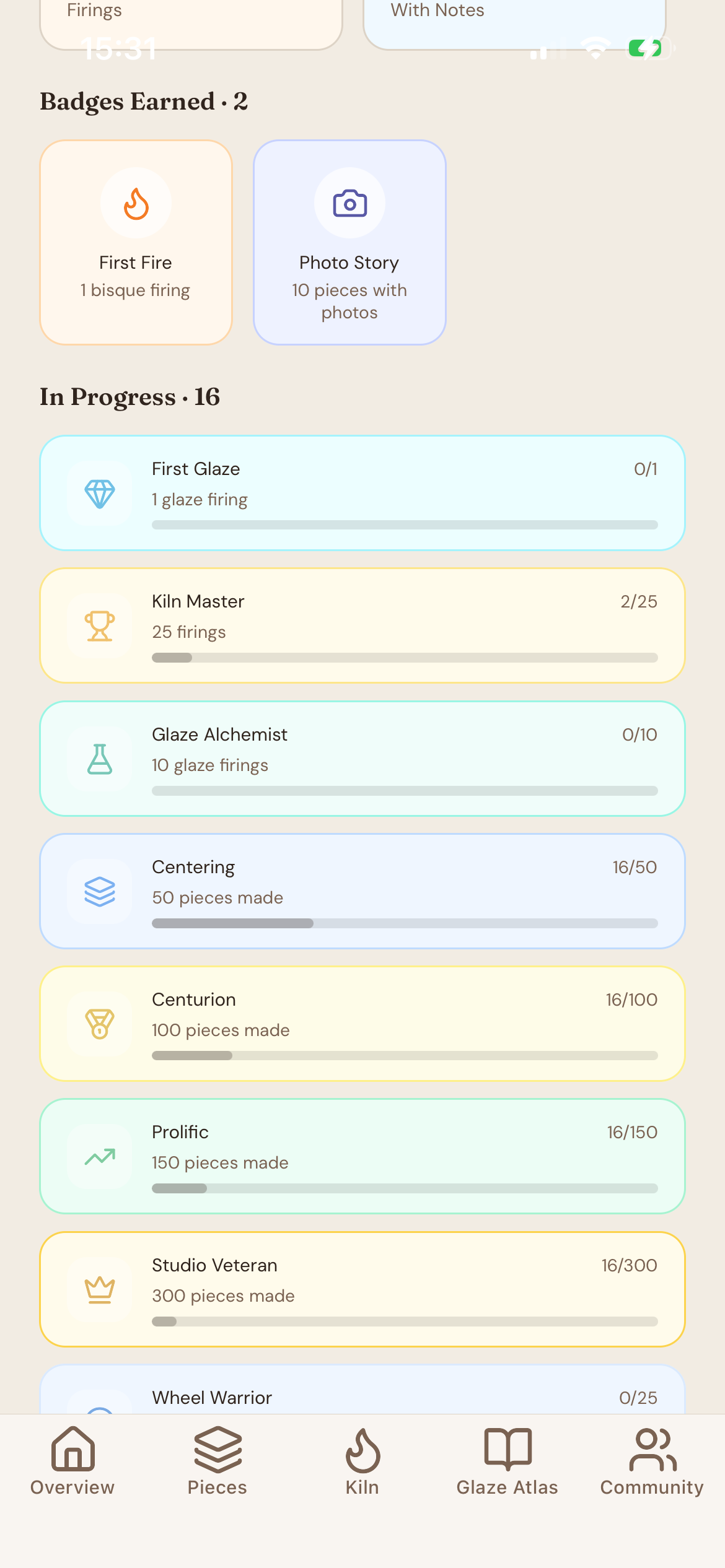
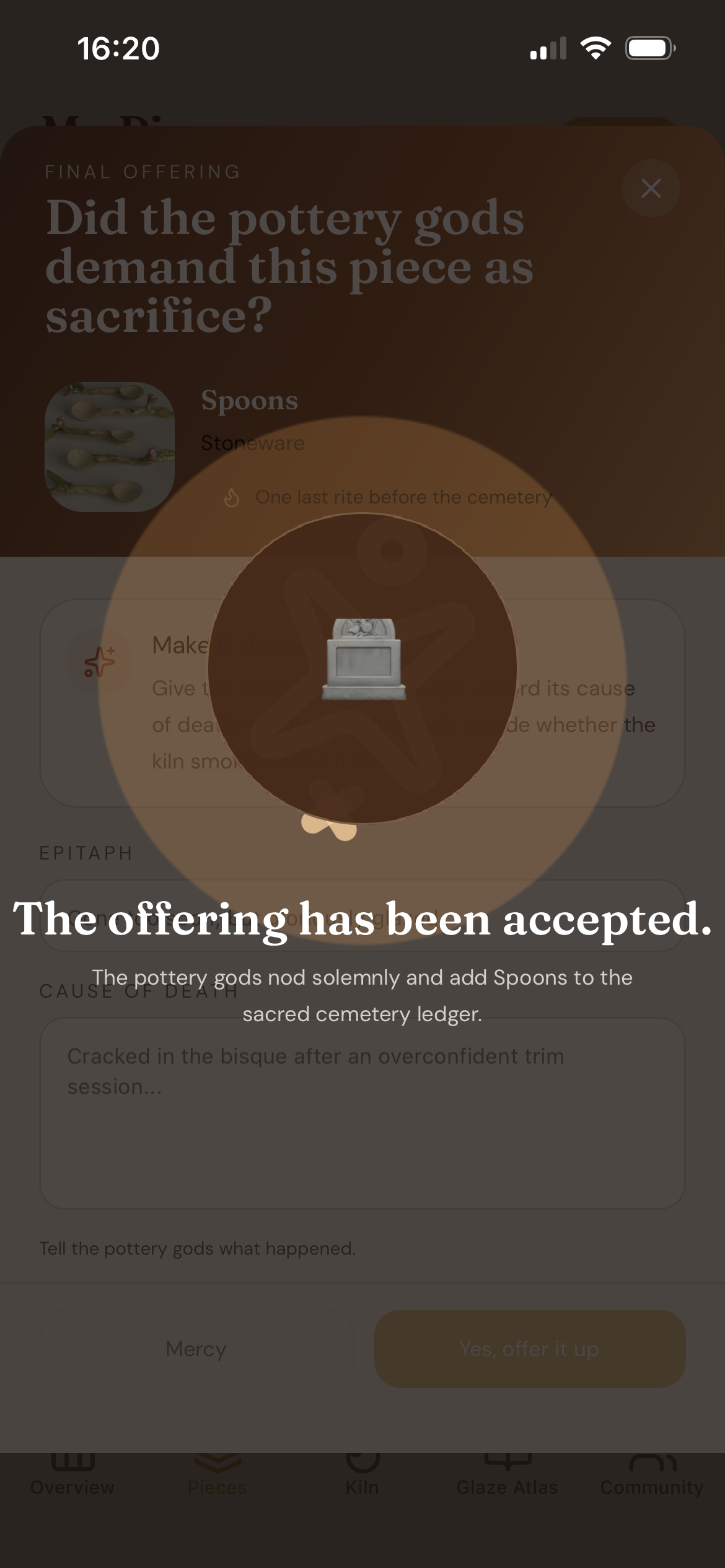
I used a warm visual language, custom typography, animated celebrations, and bottom sheets to make the interface feel intentional and a little more tactile than a standard utility app.
Engineering
Built for offline studio work
From an engineering standpoint, I built Pottery Nook with Expo Router, TypeScript, NativeWind, Zustand, and React Query. I used persisted client state for studio data, a secure storage layer for auth, and an offline sync queue so edits can be queued and replayed when connectivity returns.
That local-first approach was important because studio work does not always happen on perfect Wi-Fi, and I wanted the app to respect that reality.
Outcome
The result is specialized instead of generic
Pottery Nook helps turn the invisible parts of studio practice into something trackable, understandable, and easier to return to later. I’m proud of that because the app is not just about managing pottery data, it’s about making the rhythm of making pottery feel supported.
What I built
The product surface covers the full studio loop
- A piece lifecycle system with stage tracking, journals, timeline entries, and batch actions.
- A kiln management area for firing sessions, queues, readiness, and kiln profiles.
- A glaze atlas with test tiles, history, and studio insights.
- Role-aware onboarding and product framing for different pottery workflows.
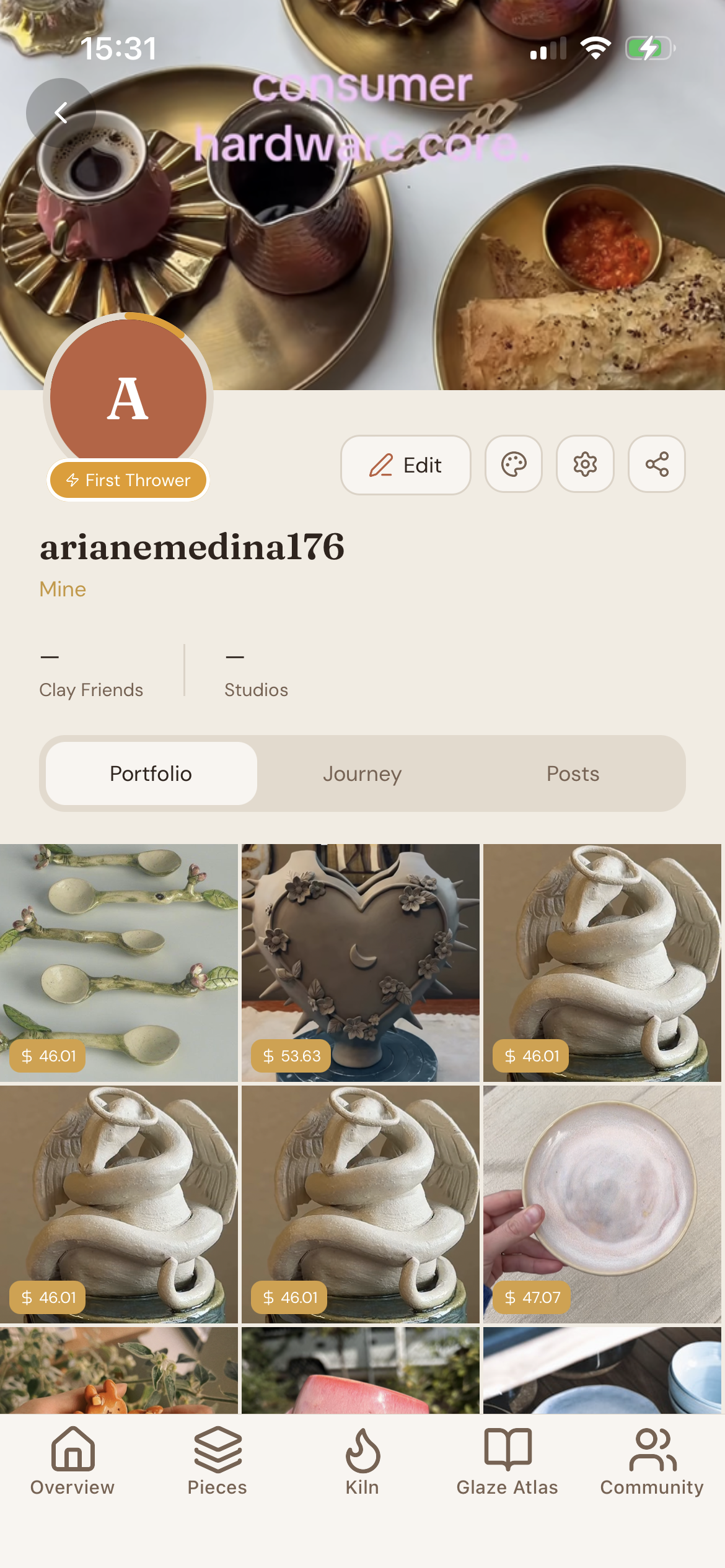
- A community-facing area, premium gating, and companion-driven studio personality.
- A local-first data model with persisted state, secure auth storage, and offline sync.
Tech stack
Expo, React Native, TypeScript, Zustand, React Query, NativeWind, RevenueCat, SecureStore, and react-native-reanimated
App legal